Create a Purchase Order

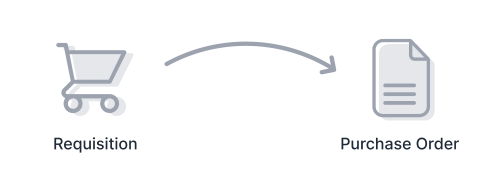
In PurchasePlus, a Purchase Order is generated automatically from a fully approved Purchase Requisition. You can't create a Purchase Order without first creating a Requisition. Use the Start Shopping button below to create a Requisition and begin ordering products from one or more of your Suppliers.

Start Shopping
Please provide a brief description of the Purchase Requisition. This reference will appear on all Purchase Orders that are created when this Requisition is submitted and fully approved. The reference will be visible to Suppliers and anyone at your organisation.
Fruit and Vegetable Order
Thank you! Your submission has been received!
Oops! Something went wrong while submitting the form.
Switch Organisation
Current Organisation
You're currently using PurchasePlus at the following Organisation.
Example Organisation
Organisation List
Please select an Organisation that you wish to switch to. An organisation is a business, department or property that you are allowed to use PurchasePlus on behalf of. When switching to a different organisation, your entire session will change to that organisation. You can switch between organisations at any time. Please scroll the list below or search for an organisation that you're able to switch to.
Test Account
Test Account > Kitchen
Test Account > Warehouse
Test Account > Pool Bar
Search
Create
Home
Account
Switch Organisation
Sign Out
All Menus
View All Menus